



PH33 App: Android Download, Setup and Mobile Access
PH33 App gives users a direct way to open games, manage a Peso balance, check transaction history, view promotions, and reach support without rebuilding the session in a browser each time. It is designed for regular mobile use, while browser access remains a practical alternative for phones with limited storage or restricted APK installation.
PH33 App Version and Android Requirements
The current Android release is PH33 App Version 3.8.6, published by PH33 Interactive Entertainment Ltd. The APK package is approximately 42.7 MB, small enough for most modern Android phones but not the full picture when checking storage.
Once installed, additional space is used for cached game assets, temporary files, updates, and WebView content. Keeping around 150 MB of free storage gives the App room to operate without forcing Android to constantly clear temporary data.
Recommended specifications are:
- Android 8.0 or later
- At least 3 GB RAM
- Around 150 MB of available storage
- Updated Google Chrome
- Updated Android System WebView
- Stable Wi-Fi, 4G, or 5G connection
A phone that only just meets those numbers can still run the App, but performance depends heavily on the type of game being opened. A lightweight slot such as JILI Super Ace places far less demand on the connection than a live dealer table streaming video continuously.
Android System WebView deserves attention too. Parts of an App can rely on Android’s built-in web rendering components, so an outdated WebView may cause login panels, cashier pages, or game windows to behave strangely even when the main installation is fine.
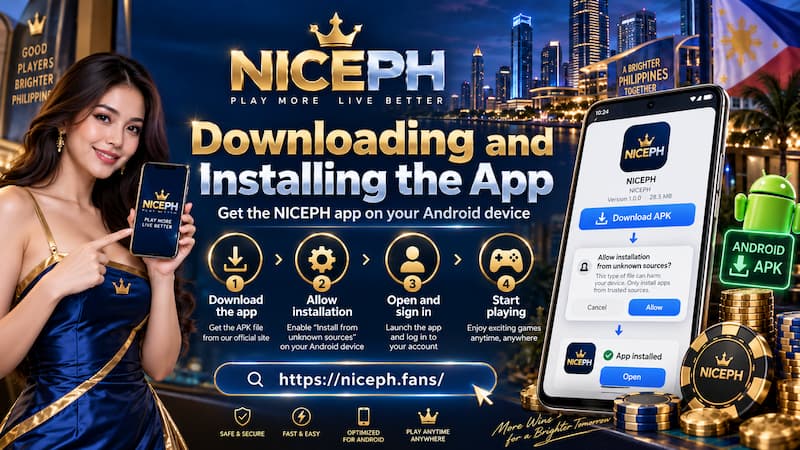
Downloading and Installing the App
Android installation uses an APK package rather than relying entirely on a conventional app-store download. That makes the installation process slightly different, but it also means users should pay closer attention to where the file comes from.
Downloading and Installing the App
The safest routine is straightforward:
- Open the current PH33 address on the Android phone.
- Locate the App download option.
- Confirm that the Android version is selected.
- Download the APK completely before opening it.
- Check that the version offered matches the current release.
- Allow installation from the browser only when Android requests it.
- Complete the installation and open the App normally.
Android may display an “install unknown apps” permission because the APK is being installed directly. That permission should be granted only to the browser or file manager being used for this installation.
An APK warning should never become an automatic “tap Allow” habit. The source, version, and file being installed should make sense before Android security settings are changed.
Avoid APK copies sent through Telegram groups, chat messages, file-sharing services, or random download mirrors. A casino App connects directly to login credentials and financial activity, so an altered package creates more risk than a typical entertainment download.
First Launch Checks
After installation, do not rush straight into a deposit. Spend a minute confirming that the account environment looks normal.
Check:
- The login screen appears as expected.
- The App version matches the release being installed.
- Account balance and profile details are correct after login.
- Games open without unusual permission requests.
- Deposit and withdrawal pages display the normal account information.
That one-minute check can prevent a much longer support conversation later.
Login, Biometrics and Account Access
An existing PH33 account should work inside the App. Changing from browser play to mobile App use does not require a second account.
Enter the normal registered credentials, then check the balance before starting a session. This is especially useful when switching between devices. If the browser showed a ₱2,500 balance a few minutes earlier, the App should reflect the same account state rather than appearing like a separate wallet.
Compatible Android phones can also use biometric login ph33. Fingerprint or face authentication makes daily access much quicker, particularly for users who open the App several times a day to check a withdrawal, promotion, or game result.
Biometrics should still be treated as a convenience layer rather than the only way back into the account. Keep the actual password and recovery information available. A phone reset, Android security update, deleted fingerprint, or changed screen lock can disable biometric access without warning.
Switching Phones
Moving to another Android device is simpler when account recovery details are already in order.
Before replacing a phone:
- Confirm the registered contact details.
- Keep the account password available.
- Finish or record any pending withdrawals.
- Take note of recent transaction references when necessary.
- Install a fresh App copy rather than transferring an old APK between phones.
This keeps the move clean and reduces the chance of carrying corrupted cached files onto the new device.
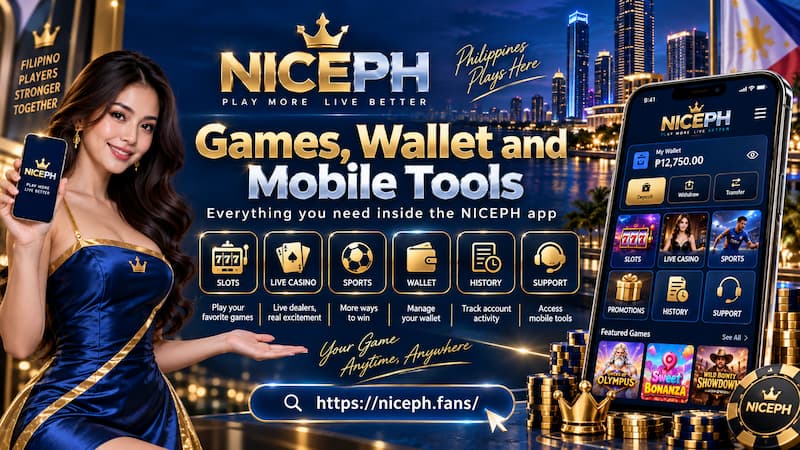
Games, Wallet and Mobile Tools
The App is useful because gaming and account controls sit in the same mobile environment. Users can move between casino products, sportsbook markets, promotions, wallet activity, game history, and customer support without repeatedly reopening browser tabs.
Games, Wallet and Mobile Tools
Typical mobile functions include:
- Casino game access
- Sportsbook access
- Peso balance display
- Deposit and withdrawal controls
- Game history
- Promotions
- Wallet notifications
- Customer support
- Account settings
For frequent players, the practical difference appears during small everyday actions. A balance check after a withdrawal takes seconds. A promotion can be reviewed before entering a game. Recent history can be opened immediately when a round appears to have ended unexpectedly.
Wallet notifications are convenient, but they should not be treated as the final proof of a transaction. When money is involved, the transaction record inside the account is the stronger reference.
For example, if a ₱5,000 withdrawal notification arrives but the status still shows Processing, the withdrawal is not automatically complete just because the phone displayed an alert. Checking the actual record prevents confusion.
App or Mobile Browser?
Installing the App is not automatically the best choice for every phone.
Regular users usually gain more from the App because access is faster, biometric login is available on compatible devices, notifications are easier to notice, and game/account tools stay together in one place.
Browser play makes more sense in several situations:
- The phone has very limited free storage.
- Android is older than the recommended version.
- External APK installation is blocked by device policy.
- The account is used only occasionally.
- The user prefers not to grant installation permission outside an app store.
The experience also differs during updates. Browser-based content generally changes without the user reinstalling anything. An App may occasionally require a newer APK before certain functions work properly.
There is no reason to force an App installation onto a phone that already struggles with storage or memory. A smooth browser session is better than an unstable App constantly being closed by Android.
For heavier use, however, direct access can feel noticeably cleaner. Opening the App from the home screen, authenticating with a fingerprint, checking the wallet, then returning to PG Soft Mahjong Ways 2 or a sportsbook market involves fewer steps than rebuilding the same routine through a browser.
Updates, Storage and Performance
The 42.7 MB APK is only the starting package. Actual storage use changes over time as game assets, login data, cached pages, images, and updates accumulate.
Low storage often causes problems that look unrelated at first:
- Games stop loading halfway.
- The cashier page opens slowly.
- The App closes when switching between sections.
- An update fails during installation.
- Android repeatedly clears background sessions.
Keeping spare storage available is more effective than repeatedly reinstalling the App.
Updating the App
When a new release appears, compare the version number before installing it. A newer APK should come through the same verified download route used for the original installation.
Do not reinstall immediately every time a game fails to open. Test the connection first, restart the App, and check whether the problem affects one game or every section.
A sensible troubleshooting order is:
- Close and reopen the App.
- Switch between Wi-Fi and mobile data.
- Check available storage.
- Update Chrome and Android System WebView.
- Restart the phone.
- Check whether a newer App version is available.
- Reinstall only when the earlier steps do not solve the problem.
This order preserves account data and avoids turning a temporary network issue into an unnecessary reinstall.
APK Safety and Common Installation Problems
A failed installation does not automatically mean the APK is defective. Android can block installation for several different reasons.
App Will Not Install
The most common causes include:
- Not enough free storage
- Unsupported Android version
- Installation permission disabled
- Incomplete APK download
- Conflict with an older installed version
- Security software blocking the package
Start with storage and Android version before changing security settings. These two checks solve many installation problems without touching anything sensitive.
If the APK download stops halfway, delete the incomplete file and download it again from the verified source. Repeatedly opening a damaged package will not repair it.
App Opens but Games Do Not Load
When login works but games fail, the installation itself may be fine.
Check the connection and WebView first. Live casino tables are particularly sensitive to unstable mobile data because the session includes continuous video. Slots may open normally on the same connection while a live baccarat table struggles.
Also look at available memory. On a 3 GB RAM phone with multiple social apps, video apps, and browser tabs running in the background, Android may have very little memory left for a casino game.
Closing unnecessary apps can make a noticeable difference.
Mobile Support and Error Reporting
Customer support becomes more useful when the problem arrives with details instead of a single message saying, “App not working.”
Record the following before contacting support:
- PH33 App version
- Android version
- Phone model
- Exact error message
- Time the problem occurred
- Game name if the issue happened during play
- Transaction reference for payment problems
For a failed round in JILI Golden Empire, for example, the game name, approximate time, balance before the round, and any visible round ID give support far more to work with than a screenshot of the lobby taken several minutes later.