



Withdrawal at PH33: Cash Out Methods, Limits and Rollover
Withdrawal at PH33 is built around a simple sequence: Check the balance, clear any rollover requirement, choose GCash, Maya, or Bank, then confirm the receiving account. The cashier currently displays a ₱100 to ₱50,000 withdrawal range, but the amount alone is only one part of a successful cash-out.
Withdrawal at PH33
The first two figures on the Withdrawal screen deserve more attention than the blue Withdraw Now button.
At the top of the cashier, PH33 displays:
- Account Balance
- Rollover requirement
They answer two different questions. Account Balance tells you how much money is sitting in the account. Rollover tells you whether there is still a play-through condition connected to the funds.
That distinction matters. A balance of ₱5,000 does not automatically mean the full ₱5,000 is ready for Withdrawal if the rollover figure has not yet reached zero.
There is also a View details option beside the rollover figure. Use it before attempting a cash-out when the requirement is still active. Repeatedly submitting a Withdrawal without checking the condition first is unlikely to solve anything.
A practical order is:
- Check Account Balance.
- Check the remaining Rollover requirement.
- Choose a Withdrawal method.
- Enter the amount.
- Confirm the receiving account.
- Review the details before submitting.
A visible balance and a withdrawable balance are not always the same thing. The rollover figure is the checkpoint between the two.
PH33 Withdrawal Methods
Three options are available in the cashier: GCash, Maya, and Bank. The best choice is usually the one you already use regularly and can verify without guessing account details.
GCash Withdrawal
GCash appears as a direct Withdrawal option and is selected in the current cashier interface.
For someone already using GCash for everyday payments, this can keep the cash-out process familiar. The important part is not simply choosing the orange GCash tab. The receiving account still needs to be set correctly.
Before submitting, check the wallet details carefully. A Withdrawal is not the moment to rely on memory for a phone number or account identifier.
A useful habit is to compare the receiving information with the GCash account directly before pressing Withdraw Now.
Maya Withdrawal
Maya sits beside GCash as another wallet option.
The practical difference is less about which logo appears in the cashier and more about which wallet you actively maintain. If Maya is the account you normally use, keeping the Withdrawal in the same wallet can make tracking the transaction easier.
Remember that a wallet can have its own transfer limits, maintenance rules, or temporary restrictions. Those are separate from the Withdrawal conditions shown inside PH33.
Bank Withdrawal
Bank is the third available route.
This option deserves extra attention during account setup because bank details are less forgiving of typing mistakes. Account number, account holder information, and the selected receiving account should all be checked before confirmation.
PH33 does not need to be treated like a race to the Withdraw button. Thirty seconds spent checking the bank account can save far more time than correcting a failed request later.
Withdrawal Limits and Amount Selection
The cashier currently displays a Withdrawal range of:
₱100.00 – ₱50,000.00
Preset buttons are also available for commonly used amounts:
- ₱100
- ₱300
- ₱500
- ₱1,000
- ₱3,000
- ₱5,000
- ₱10,000
- ₱30,000
These presets are convenient because they reduce manual entry, especially when the amount you want already appears on screen.
There is an important detail here: The displayed ₱50,000 upper figure should be read as the current Withdrawal range shown in the cashier, not automatically as a daily, weekly, or monthly limit.
Those are different things.
For example, a player with a ₱12,400 available balance may decide to withdraw ₱10,000 using the preset button rather than emptying the entire balance. Another user may only want ₱500 sent to GCash. Both fit within the visible range, but rollover and account readiness still need to be checked before either request is submitted.
Rollover Requirement Before Withdrawal
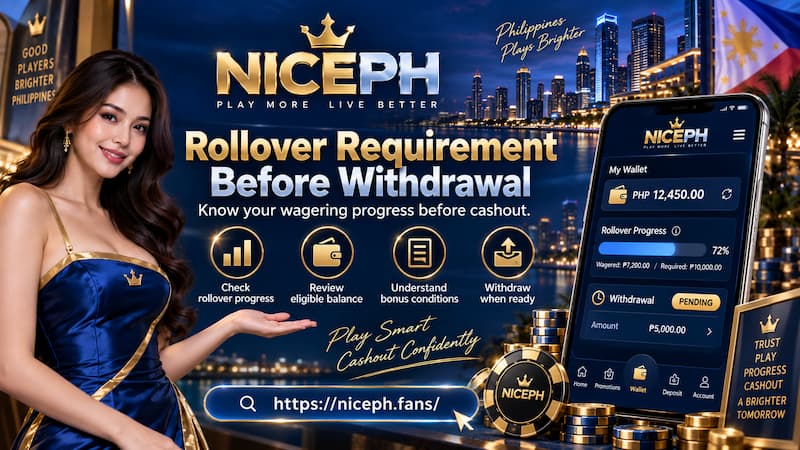
Rollover is one of the most common reasons a Withdrawal can feel confusing.
Rollover Requirement Before Withdrawal
In casino accounts, rollover generally refers to a wagering condition attached to certain deposits, bonuses, promotions, or credited funds. The exact requirement can vary depending on how the balance was created.
That is why PH33 places Rollover requirement directly beside Account Balance.
Suppose the balance shows ₱3,000 but the rollover requirement is still active. Seeing ₱3,000 on screen does not mean the Withdrawal process is fully open yet. The better move is to open View details and identify what remains.
Balance, rollover and withdrawable funds
Think of the three figures separately:
- Account Balance: Money currently recorded in the account.
- Rollover Requirement: Remaining play-through condition, when applicable.
- Withdrawable Amount: Funds that are actually ready to be requested after the relevant conditions are satisfied.
Avoid assuming every bonus uses the same rollover multiple. A 1x, 5x, 10x, or 20x condition should never be applied to a PH33 Withdrawal unless that number is stated in the specific promotion or account terms you are using.
The fastest way to clear confusion is not to guess. Check the rollover details attached to the actual balance.
Add Your Withdrawal Account
Choosing GCash, Maya, or Bank does not complete the setup by itself.
Below the amount section, PH33 includes a dedicated withdrawal account area. When no receiving account has been configured, the cashier displays:
Please add a bank account for withdrawal purposes.
Two controls are visible: add account and my account.
This step should be completed before expecting the final Withdrawal button to work as intended.
Before saving a receiving account, confirm:
- The account belongs to the intended recipient.
- The wallet or bank details are typed correctly.
- The selected Withdrawal channel matches the account being added.
- Old or unused account information is not being selected accidentally.
One incorrect digit can turn a simple cash-out into a support problem. This is one place where slowing down is useful.
How to Make a Withdrawal at PH33
The full process is straightforward when handled in the right order.
- Open Withdraw from the account area.
- Check the current Account Balance.
- Review Rollover requirement.
- Tap View details if the rollover figure is not zero.
- Choose GCash, Maya, or Bank.
- Select a preset amount or enter an amount within the displayed range.
- Open the withdrawal account section.
- Add or select the correct receiving account.
- Review the amount and account information one more time.
- Tap Withdraw Now.
Do not add steps that are not actually shown to you. If the cashier later requests an additional verification step, complete it there, but there is no reason to assume an OTP, confirmation code, or extra identity check appears on every Withdrawal.
It is also sensible to keep any transaction confirmation, reference number, or screenshot until the funds arrive.

How to Make a Withdrawal at PH33
When a Withdrawal Does Not Go Through
A failed Withdrawal is easier to diagnose when you check the obvious blockers in order instead of immediately submitting the same request again.
Check the balance
The requested amount cannot exceed the balance available for Withdrawal.
If the account holds ₱700, requesting ₱1,000 will not become valid simply because ₱1,000 appears as a preset button.
Check rollover
An unfinished rollover requirement can stop funds from being ready even when the balance itself looks sufficient.
Open View details before assuming the problem is technical.
Check the amount
The cashier currently displays a range from ₱100 to ₱50,000. A request outside that visible range may not be accepted.
Check the receiving account
No linked Withdrawal account means the request has nowhere to go.
Also verify that the correct GCash, Maya, or bank account is selected. An account saved months ago may no longer be the one you want to use today.
Check the payment service
Sometimes the issue is not inside the casino account at all. Wallet maintenance, bank transfer interruptions, receiving limits, or temporary account restrictions can affect the final transfer.
If the balance, rollover, amount, and receiving account all look correct, checking the current transaction status or contacting support is more useful than repeatedly pressing Withdraw Now.
Processing Time, Fees and Withdrawal Status
Withdrawal speed is one area where assumptions cause unnecessary frustration.
GCash may feel faster than a traditional bank transfer in everyday use, but that does not prove every PH33 Withdrawal to GCash will arrive instantly. Casino approval, payment processing, wallet conditions, and banking networks can all affect the final timing.
A charge from a wallet or bank is not automatically a PH33 Withdrawal fee. Keep these separate when reviewing the final amount received.
Before making another request because the first one has not appeared immediately, check whether the original transaction still has an active status. Duplicate requests can make account tracking harder rather than faster.
Withdrawal Security Checks
Cash-out details deserve the same care as login credentials.
Before confirming a Withdrawal:
- Recheck the receiving account.
- Never share your password, wallet PIN, MPIN, or OTP.
- Avoid opening payment links from unexpected messages.
- Keep the transaction reference until the cash-out is complete.
- Contact the official support channel when an account detail looks unfamiliar.
A legitimate Withdrawal process may ask you to confirm information inside your account. It should not require handing sensitive wallet credentials to another person.