
PH33 Deposit: Pay Right, Avoid Common Errors
Deposit at PH33 is built around familiar payment choices, but the details of each transfer deserve attention. Choosing the right channel, using the latest QR code, matching the amount exactly, and keeping the transaction receipt can prevent most avoidable payment problems.
PH33 Deposit Methods
Inside the Deposit section, PH33 gives players several ways to move money into their casino balance. The currently available choices include GCASH, GCash+1, GCASH-QRPh, GoTyme, and Maya.
Seeing several buttons that appear to serve the same purpose can be confusing at first, especially with three GCash-related routes. They should not be treated as interchangeable shortcuts. Once a Deposit method is selected, follow the instructions attached to that specific transaction rather than relying on payment details saved from an earlier transfer.
GCash, GCash+1 and GCASH-QRPh
GCash is likely to be the most familiar option for many users because the entire transfer can be handled from a phone. PH33 currently separates GCash into three Deposit choices:
- GCASH: The standard GCash Deposit route.
- GCash+1: An additional GCash route with its own payment instructions.
- GCASH-QRPh: A QR-based option where the current QR code becomes particularly important.
PH33 does not needlessly explain technical differences that may change behind the cashier. For the player, the safest habit is simpler: Select one route, generate the payment instruction, and complete that exact request.
GCASH-QRPh deserves extra attention. A QR image may look reusable, especially if a previous Deposit was successful, but payment routing can change.
Use the latest QR code and transfer the exact amount shown for the current Deposit request.
That instruction is worth following literally. An old QR code should stay in the photo gallery, not become a shortcut for the next payment.
Maya and GoTyme
Maya and GoTyme give another practical route when funds are already sitting outside GCash. There is little reason to move money from GoTyme to GCash first simply to make a casino Deposit if the active cashier already provides a GoTyme option.
The same logic applies to Maya. The convenient choice is usually the account that is already funded and accessible, provided its Deposit option is currently active.
Avoid choosing a method based on assumptions such as “GCash is always faster” or “Maya never charges fees.” Processing conditions and wallet charges can change, so the payment information displayed during the actual transaction should take priority.
Users comparing wallet routes with local bank transfers should still follow the payment method actually shown in the cashier, because availability can differ by account and time.
Deposit Limits and Amount Selection
For the GCash Deposit route currently displayed, the accepted range is ₱50 to ₱50,000.
Several preset values make common Deposit amounts faster to enter:
- ₱50
- ₱100
- ₱500
- ₱1,000
- ₱5,000
- ₱10,000
- ₱30,000
- ₱50,000
A custom amount can also be entered within the displayed range.
The number entered at this stage is not just a balance preference. It becomes part of the payment request. If the Deposit is created for ₱1,000, sending ₱999 or ₱1,001 can make automatic matching more difficult.
That distinction becomes even more important with QR transfers because the cashier may use the requested amount alongside the payment reference to identify the transaction.
Limits should also be checked method by method. A ₱50–₱50,000 range visible under GCash should not automatically be assumed to apply to Maya, GoTyme, or every future Deposit channel. If the deposit is being made to qualify for a promotion, check the reward’s minimum amount and timing before sending money.
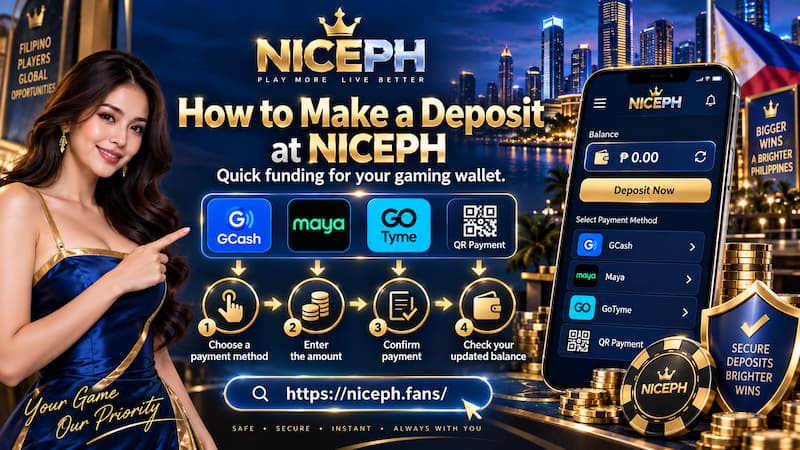
How to Make a Deposit at PH33
A clean Deposit is easier to track when each action belongs to one transaction from beginning to end.
- Log in to the correct PH33 account.
- Open Deposit from the cashier.
- Select GCASH, GCash+1, GCASH-QRPh, GoTyme, or Maya.
- Enter the intended Deposit amount.
- Review the payment instruction generated for that request.
- Open the selected wallet or banking app.
- Scan the current QR code or use the current transfer details.
- Enter the exact same amount requested in PH33.
- Check the recipient, amount, and payment summary before confirming.
- Complete the transfer and keep the receipt or transaction reference.
- Return to PH33 and check the casino balance.
One small habit makes this process cleaner: Finish one Deposit request before opening another.
How to Make a Deposit at PH33
Imagine creating a ₱1,000 GCash request, going back, creating a second ₱1,000 request, and then paying one of them several minutes later. The money may still arrive correctly, but there are now two similar Deposit records competing for attention. If something needs to be traced, the transaction is unnecessarily harder to identify.
One request, one payment, one receipt is much easier to manage.
QR Codes and Exact-Amount Payments
The strongest instruction inside the PH33 Deposit area is also one of the easiest to overlook: Use the latest QR code and send the exact amount.
QR payments feel effortless because scanning removes much of the manual typing. That convenience can create bad habits, especially saving a QR code after one successful transaction and assuming it will work indefinitely.
A better Deposit routine is:
- Generate the payment request first.
- Use the QR associated with that request.
- Check the amount before approving the transfer.
- Confirm the payment once.
- Keep the completed transaction record.
Do not rely on a screenshot from yesterday simply because the previous recipient name looks familiar.
Payment channels can be updated, rotated, or replaced. The current cashier instruction is the one connected to the Deposit being made now.
The exact-amount rule is equally practical. If the request says ₱5,000, send ₱5,000 rather than rounding, adding a small test amount, or splitting the transfer into two payments unless the cashier specifically instructs otherwise.
GCash, Maya or GoTyme for Deposit?
There is no single payment method that needs to be called the “best.” The better choice depends on where the money already is and how easily the current instructions can be completed.
| Method | Practical use | Main check |
| GCash | Funds already available in GCash | Current payment details |
| GCash+1 | Alternative GCash route is selected | Follow that route’s own instructions |
| GCASH-QRPh | QR payment is preferred | Use the latest QR |
| Maya | Balance already held in Maya | Verify current transfer details |
| GoTyme | Funds are available in GoTyme | Check recipient and amount |
For example, a player with ₱2,000 already available in GoTyme gains little by transferring it to another wallet before depositing. Choosing GoTyme directly removes an unnecessary extra transfer.
On another day, GCash may be the simpler choice because the money is already there.
The goal is not to build loyalty to one Deposit method. It is to reduce the number of steps between creating the request and completing it accurately.
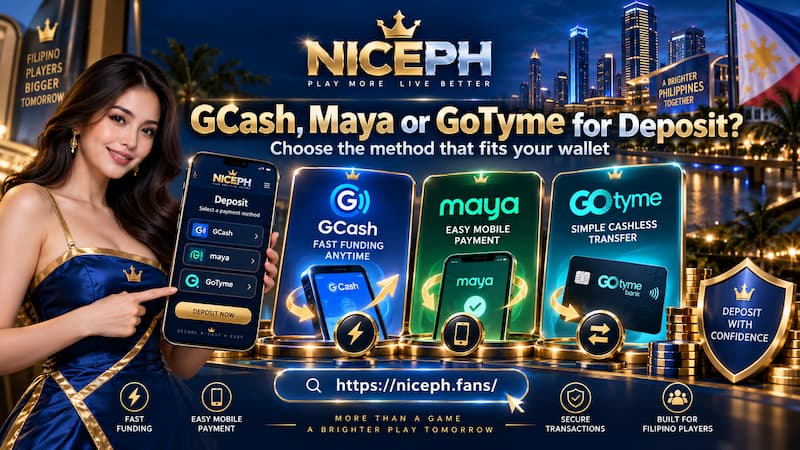
GCash, Maya or GoTyme for Deposit?
Deposit Pending or Not Credited
A completed wallet transfer and a credited casino balance are two separate checkpoints. If money has left GCash, Maya, or GoTyme but the PH33 balance has not changed, avoid immediately sending another Deposit.
Check the Transaction Details
Start with the information already available:
- Is the wallet transaction marked successful?
- Does the transferred amount exactly match the Deposit request?
- Was the newest QR code or current payment information used?
- What time was the transfer completed?
- Is the transaction or reference number available?
- Was more than one Deposit request created?
This short check can reveal simple mistakes before support becomes necessary.
Keep Useful Payment Evidence
A screenshot becomes much more useful when it clearly shows the information needed to trace the payment. Keep:
- Deposit amount
- Payment method
- Date and time
- Transaction/reference number
- Successful payment status
- Receipt or confirmation screen
When contacting support, provide the relevant transaction details rather than sending only a message such as “Deposit not received.” A ₱5,000 GCash transfer completed at 8:42 PM with a visible reference number is much easier to investigate.
Deposit Safety Checks
A careful Deposit routine protects both the money and the ability to prove where it went.
Before confirming payment:
- Open Deposit from the account being funded.
- Use the current payment instruction.
- Verify the amount twice.
- Never reuse an old QR code.
- Keep the receipt until the balance appears.
- Do not give anyone a wallet PIN, password, OTP, or recovery code.
- Avoid paying through QR codes or account details sent by unknown people outside the normal cashier process.
It also makes sense to check the gaming domain and current legal status independently before sending money to any online casino. Licensing, payment availability, and access conditions can change over time, so trust should come from information that can be verified rather than from a logo or claim alone.